Prompt Software · Music tag editor
Linernote
Fix the tags and file names of a whole music collection, with a preview before anything is written
Linernote edits the tags of MP3, FLAC, M4A, AIFF and WAV files, one file or thousands at once. It renames files from their tags, reads tags out of file and folder names, looks albums up on MusicBrainz, Discogs and iTunes, and lets Claude propose fixes for files nobody tagged. Every converter shows the result before it writes, and the last 20 writes can be undone.
- File formats
- MP3, FLAC, M4A, AIFF, WAV
- Tag types
- ID3v1, ID3v2.3, ID3v2.4, Vorbis, MP4
- Scripting functions
- 65
- Action types
- 18

What it does
Edit a thousand files like one
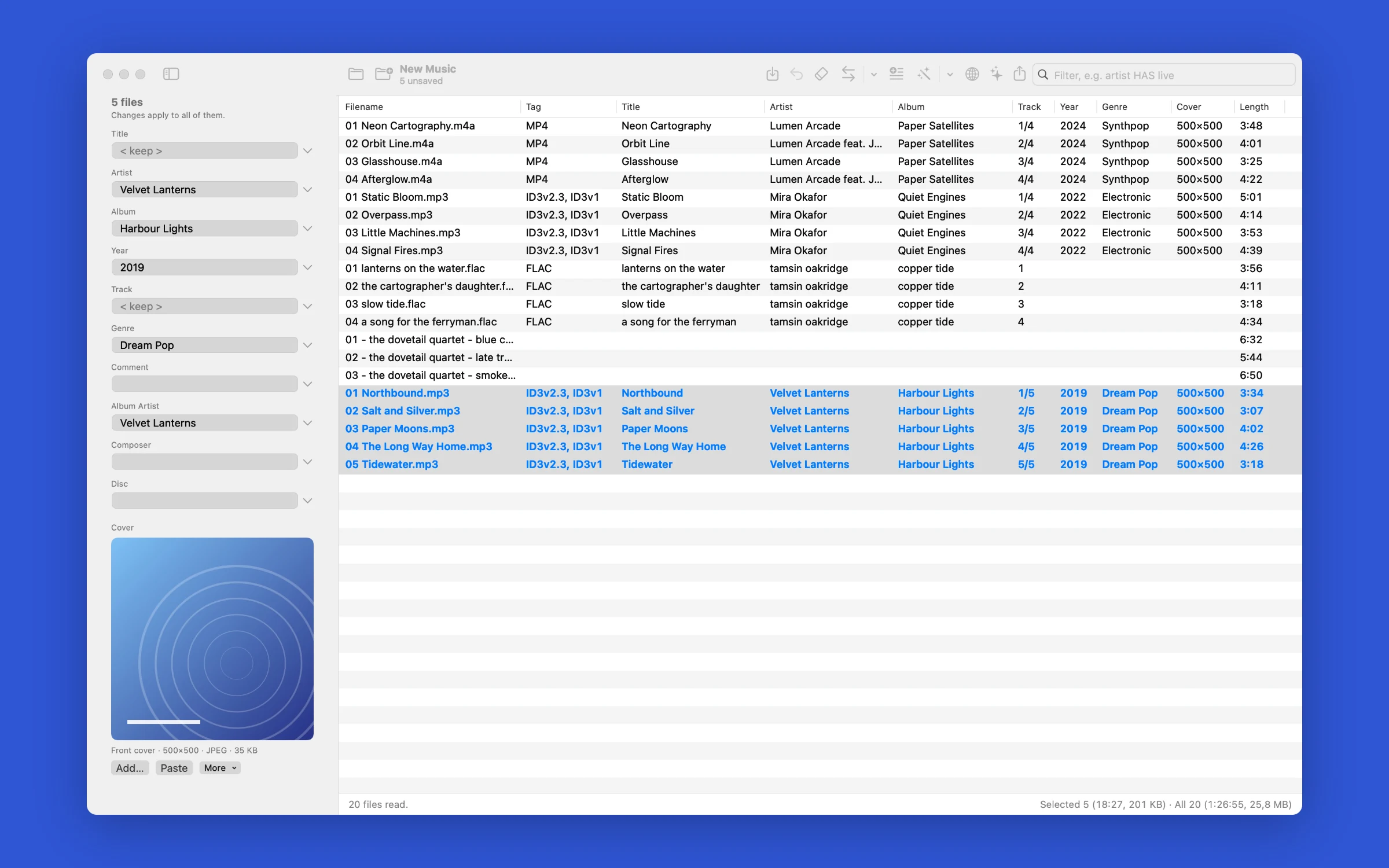
Select files and type in the Tag Panel. Fields that differ show < keep > and stay as they are, < blank > clears a field, and a field can hold several values. Changed files are marked until you save.
Rename from tags, tag from names
Tag → Filename builds names and folders such as %albumartist%/%album%/$num(%track%,2) %title%. Filename → Tag reads fields back out of names. Both show every old and new value in a preview.
Albums from MusicBrainz, Discogs and iTunes
Search a release, check how its tracks line up with your files, choose the fields to write and download the cover. Fields a track doesn't have stay as they are.
Claude for the messy cases
Claude reads file names, folder names and current tags, then proposes artist, title, album, track, year and genre. You tick off each change. It also writes format strings and filters from a plain description. You need your own Anthropic API key.
Actions you can save
Chain replace, regular expressions, case conversion, field splitting, codepage repair, cover import and export and more into action groups. Run one from the menu, or preview a single action on the selection first.
Writes only what it changes
Linernote keeps tag data it doesn't show, such as unknown ID3 frames and gapless playback info, and never touches the audio. Undo covers tag writes, renames and removed tags.
Screenshots
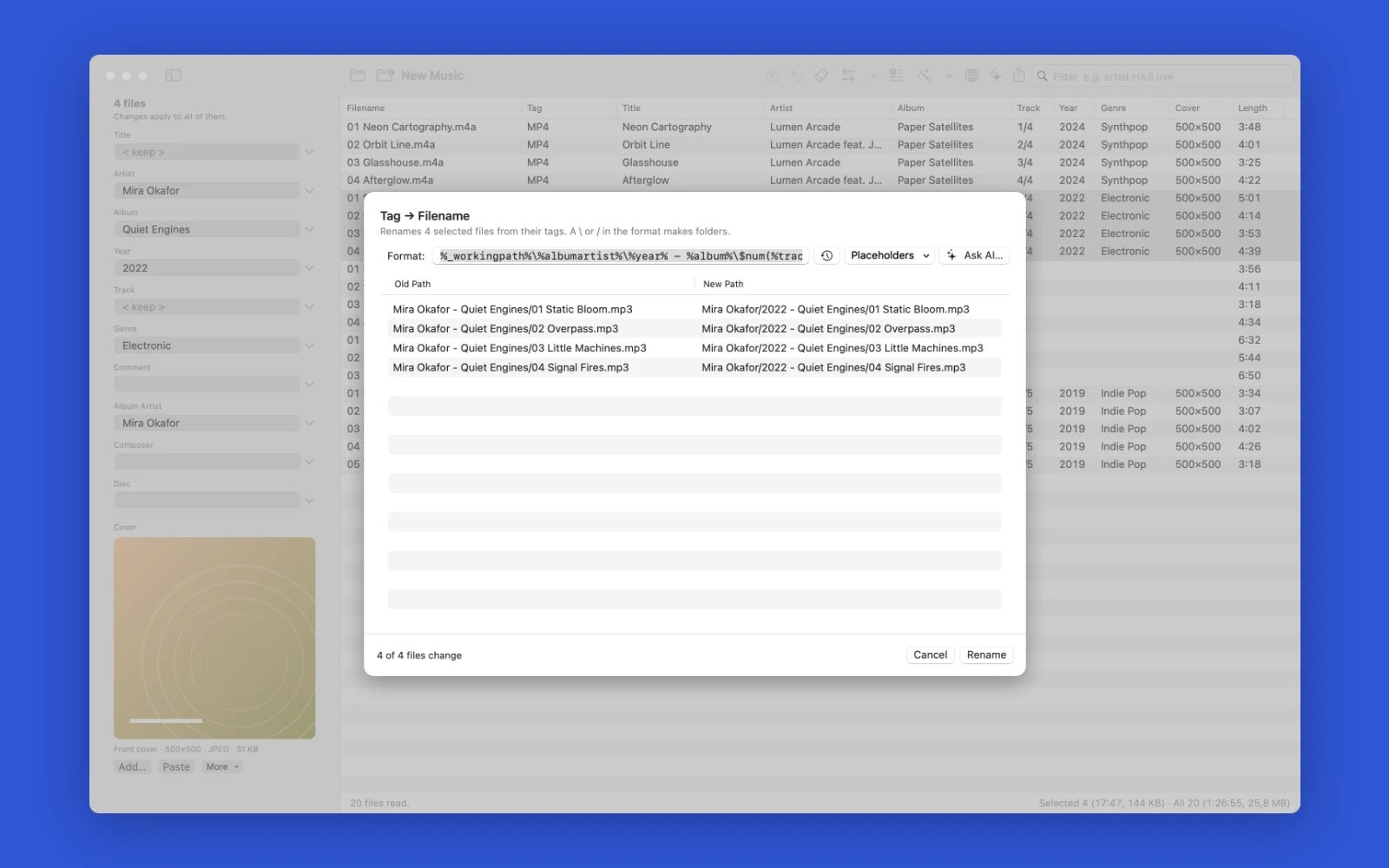
Renaming files from their tags: a backslash in the format makes a folder, so the four Quiet Engines tracks move into an artist folder with a year and album folder inside. The preview lists every old and new path before anything is renamed. 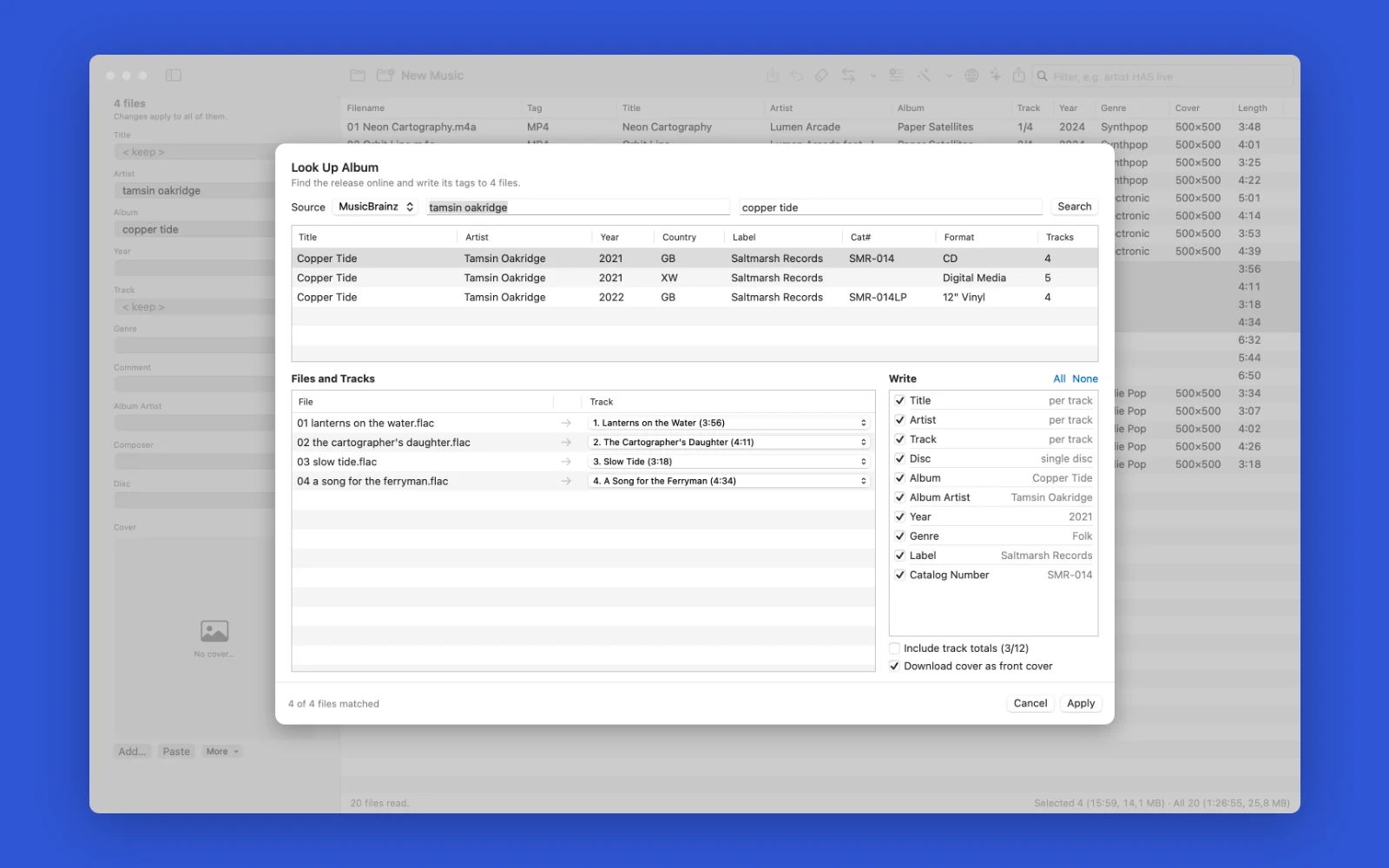
Looking up an album on MusicBrainz: Linernote matches the four FLAC files to the release's tracks, then writes 10 fields, including the properly capitalised titles, year 2021, genre Folk and the label, and can download the cover too. 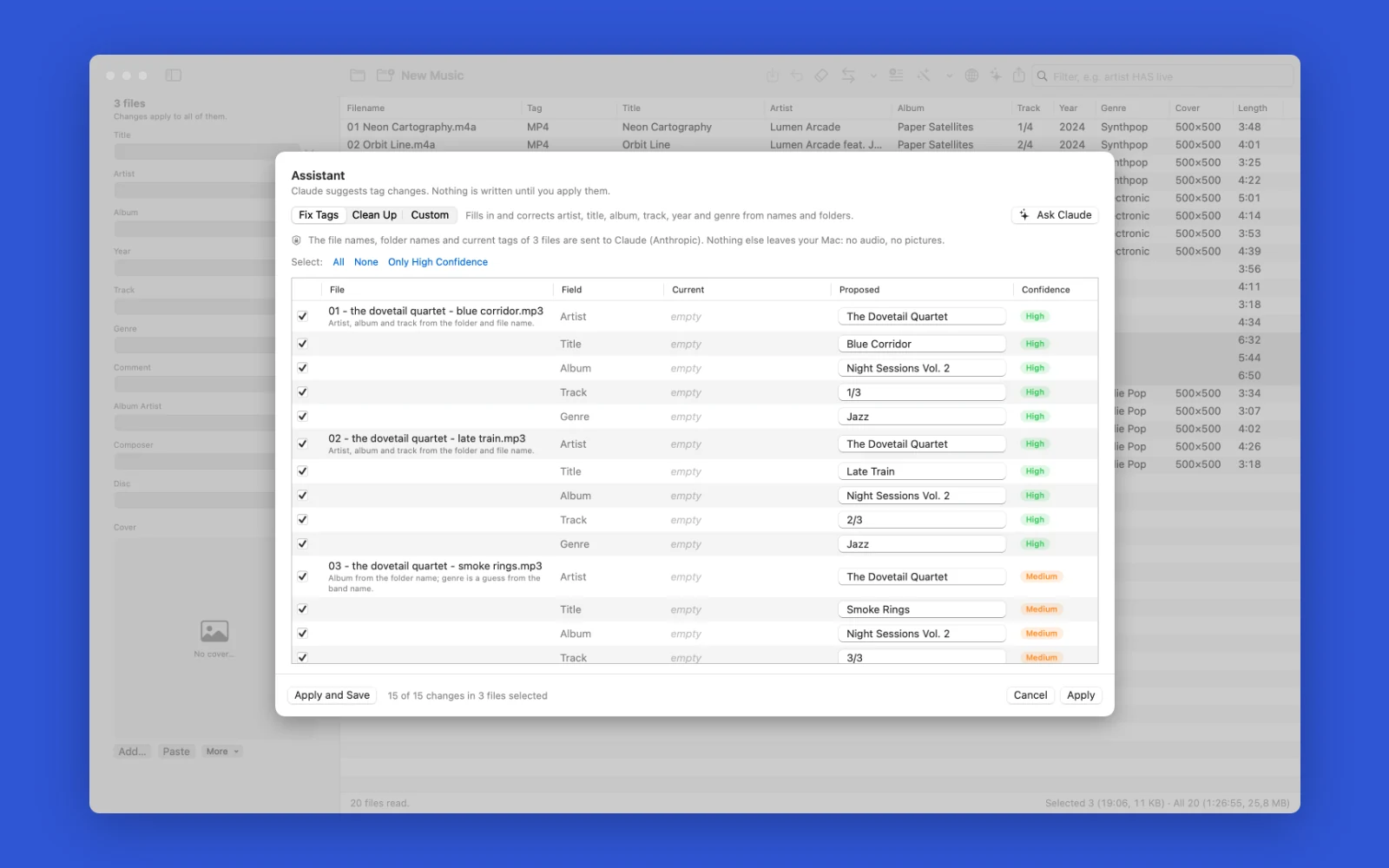
Letting Claude fix untagged files: from the file and folder names it proposes artist, title, album, track and genre for three MP3s and rates each guess. Only the ticked changes are applied, and nothing is written until then. 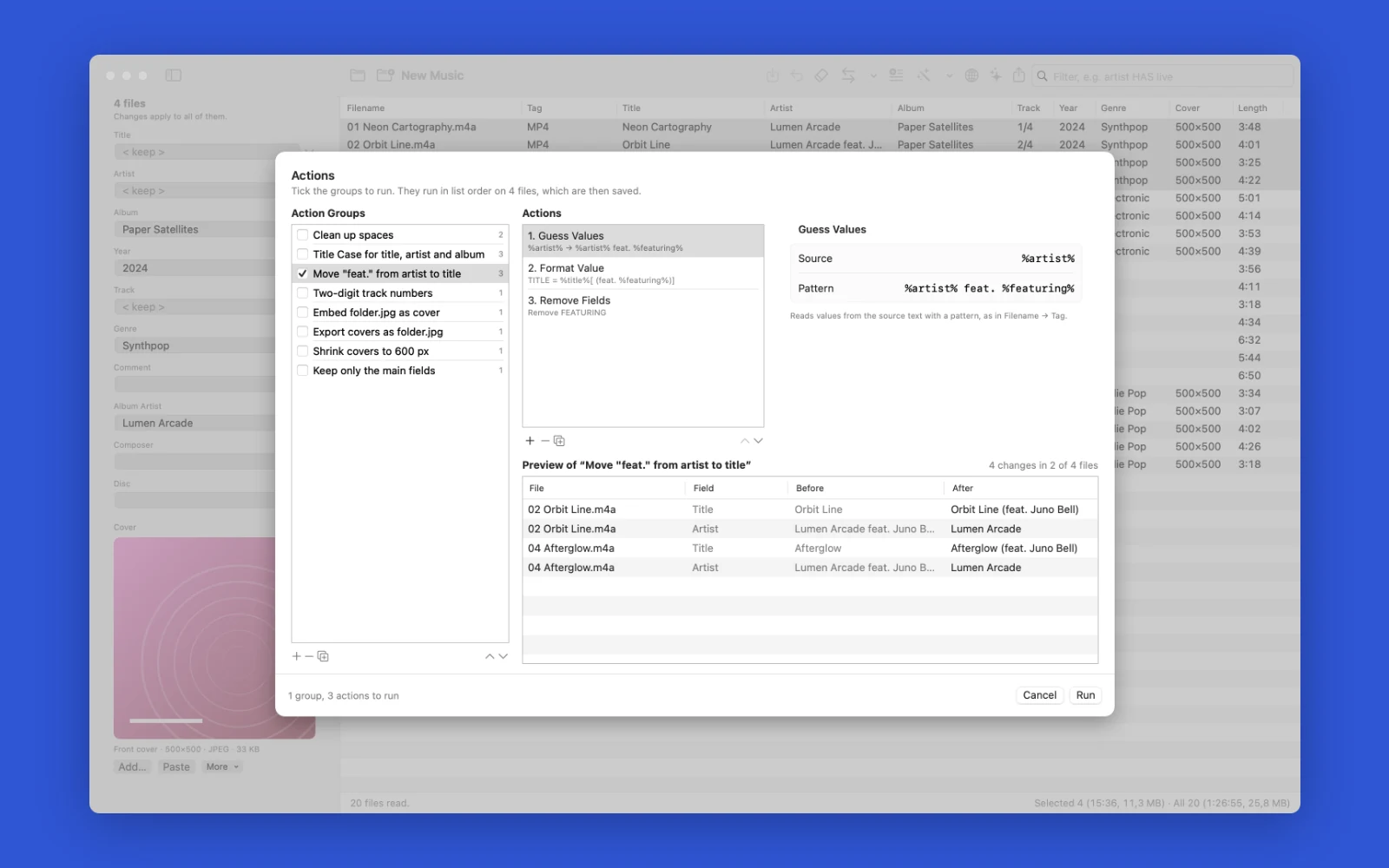
Running a saved action group: three actions move a guest credit from the artist into the title, so Lumen Arcade feat. Juno Bell becomes Lumen Arcade and Afterglow becomes Afterglow (feat. Juno Bell). The preview shows every change before the files are saved.
System requirements
- macOS 15 or later
- Mac with Apple silicon
More from the same line

Passwords and API keys
Hidewell
Passwords and API keys in one encrypted file on your Mac.
macOS 13+€19
Folder compare and sync
Mirrorline
Compare two folders side by side and sync them on your terms.
macOS 14+€19
Disk space analyzer
Spacewalk
See what fills your Mac's disk, then clear out large files one card at a time
macOS 14+Free