Prompt Software · Text to speech
Lectern: Text to speech with voice cloning for Mac
Turn text into natural speech on your Mac, in stock voices or your own.
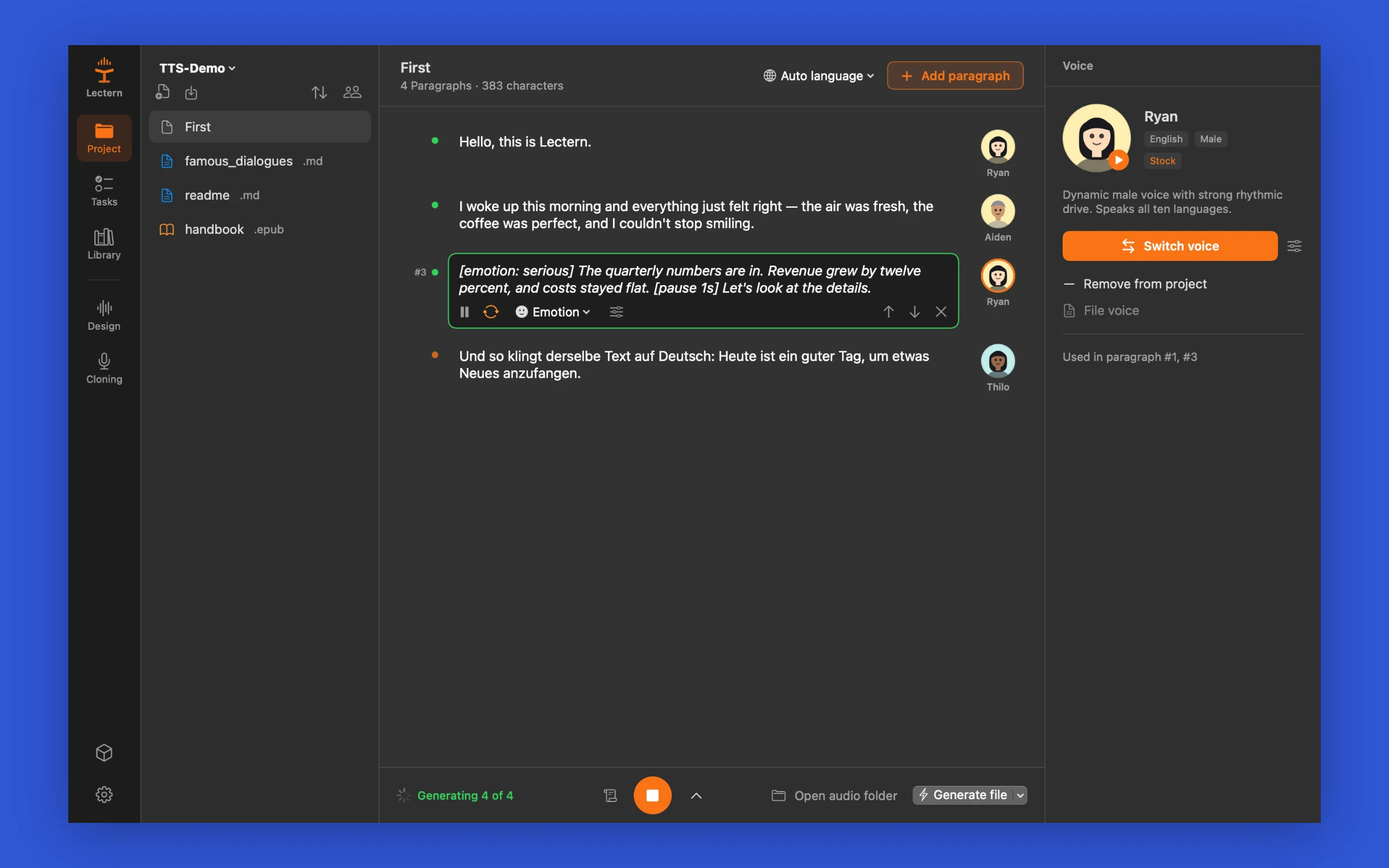
Type or import a document, give each paragraph a voice and an emotion, and listen. Clone your own voice from a 15-second reading, or describe a new one. Save MP3, WAV or an audiobook with chapters. The speech model runs on your Mac's GPU, so your text and your voice stay on the Mac.
- Languages
- 10
- Model sizes
- 1.7B and 0.6B
- Import formats
- 16
- Interface languages
- 9

What it does
Your own voice from one reading
Read a short text that ends in a six-digit code. Lectern checks on the Mac that you read it, takes out background noise such as a computer fan, clones the voice and shows a similarity score. A German take is enough for the voice to speak English.
A voice and a mood per paragraph
Excited, happy, confused, angry, serious, bored, sad, embarrassed, calm or whisper, or your own instruction such as "slowly, as if telling a secret". Speed, pitch, volume and pauses per voice or per paragraph.
Scripts with a cast
Lines that start with a name and a colon become characters. Give each character a voice once, and the whole dialogue is read in those voices.
New voices from a description
Describe age, tone and style, hear three candidates and keep one. A kept voice sounds the same in every paragraph. Or fine-tune a stock voice with an instruction such as "older and slower" and keep that.
Documents in, audiobooks out
Import TXT, Markdown, PDF, Word, RTF, OpenDocument, EPUB, PowerPoint, Excel, HTML, the subtitle formats SRT, VTT, LRC and ASS, and Fountain screenplays, or open a whole folder as a project. Export MP3, WAV, M4A, FLAC, AIFF or an M4B audiobook with a chapter per chapter or per paragraph, plus SRT subtitles. Every file is marked as AI speech, in its metadata and with an inaudible watermark.
Listen while it renders
Play a paragraph, a chapter or everything. Playback starts before the rest is generated, and batch tasks turn a stack of documents into audio files in one run.
Screenshots
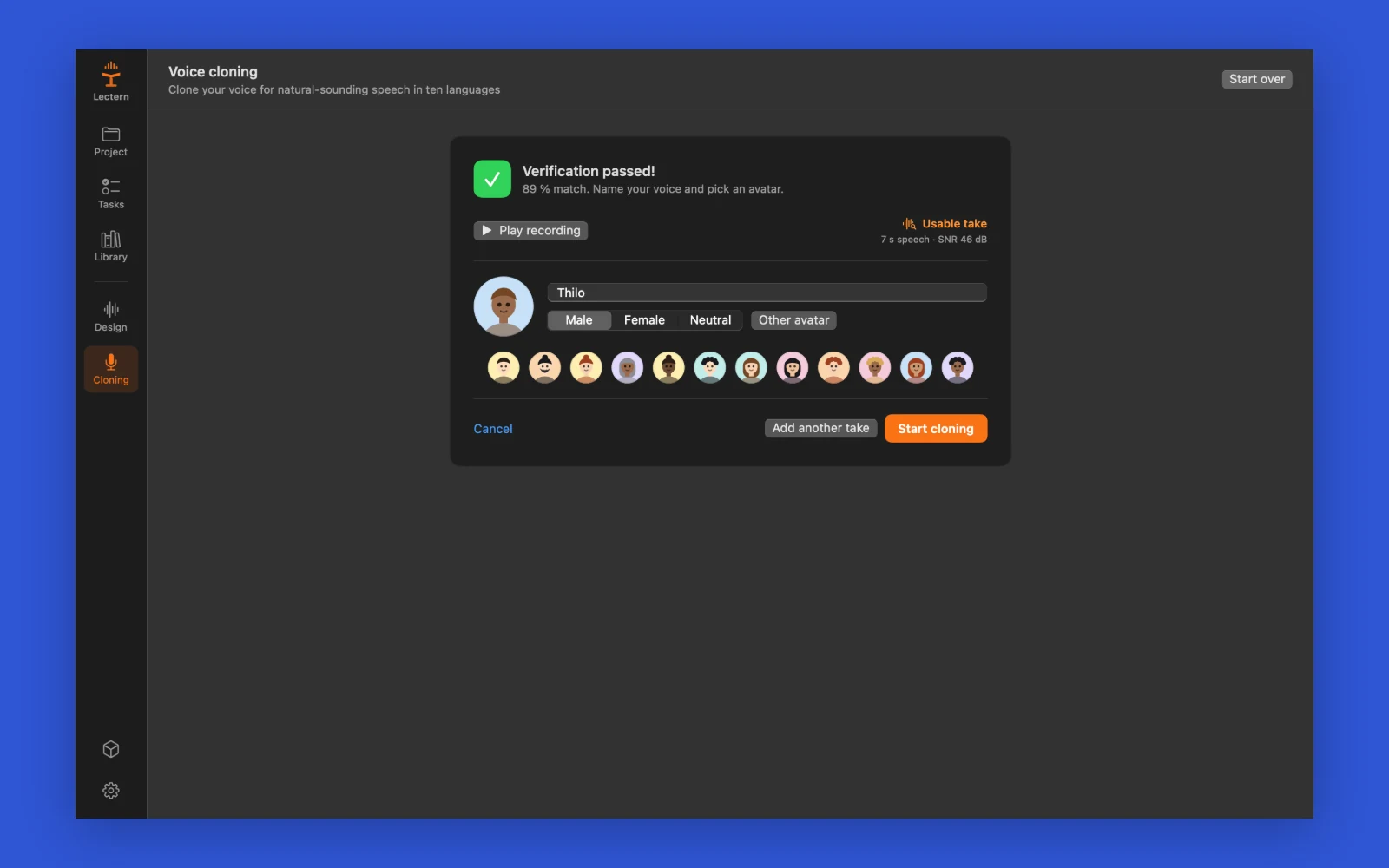
Cloning your own voice: read a short text with a six-digit code, Lectern checks the reading on the Mac and rates the recording. Add up to three takes, then start cloning. 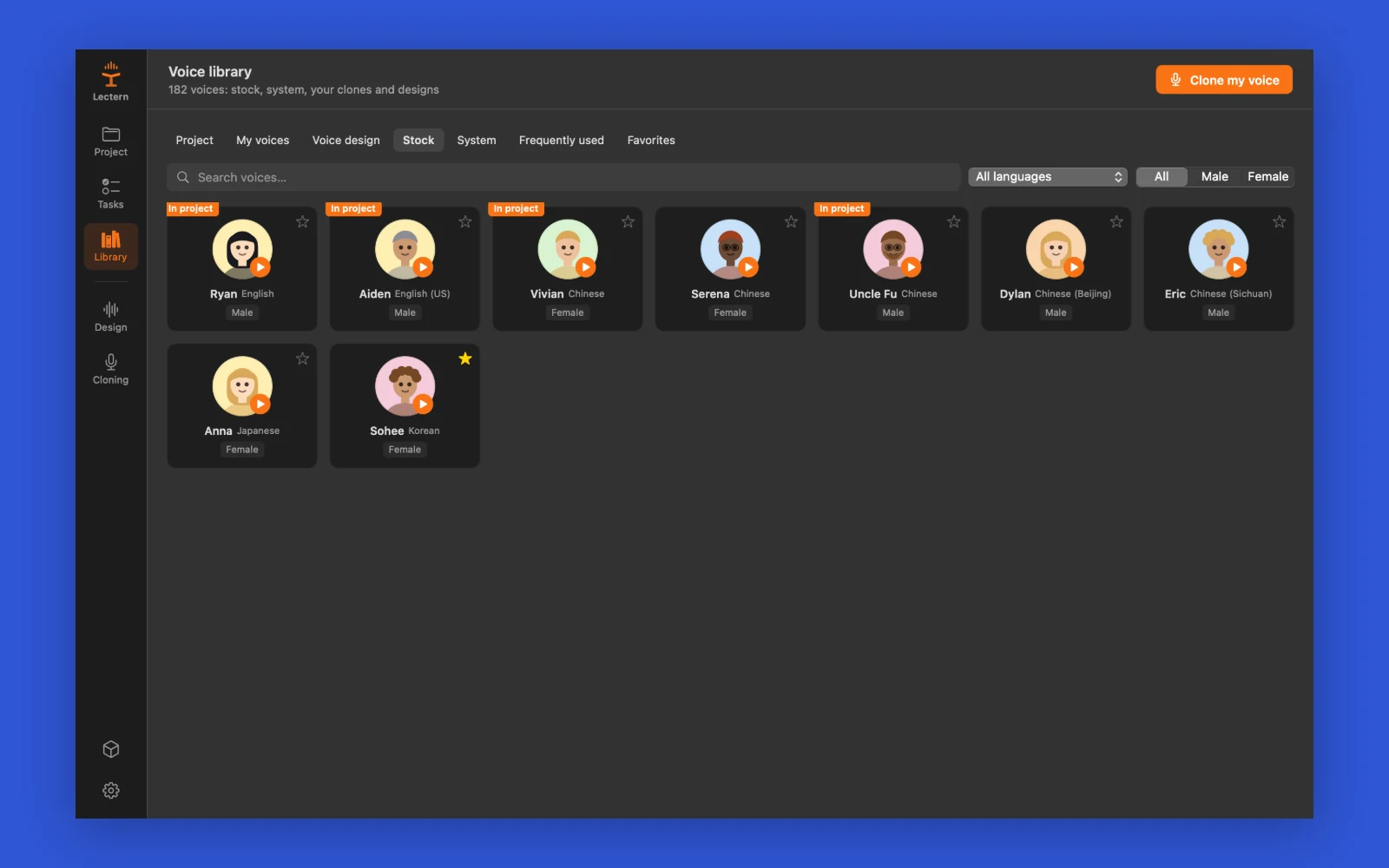
Choosing a voice: nine stock voices that speak ten languages, the macOS voices, and your own clones and designs, with search, language and gender filters. 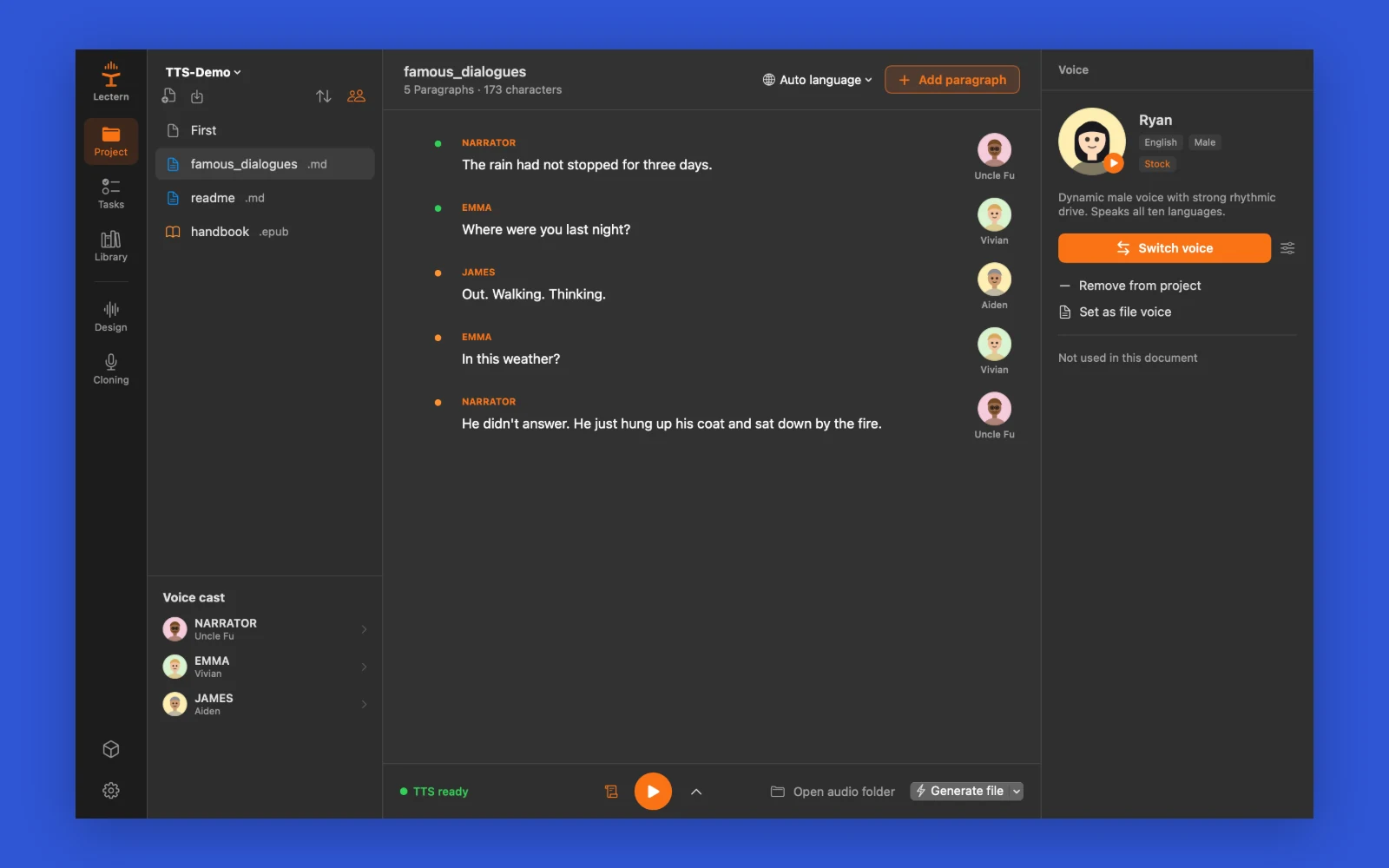
Casting a script: lines that start with a name and a colon become characters. Pick a voice per character once, and the dialogue is read in those voices. 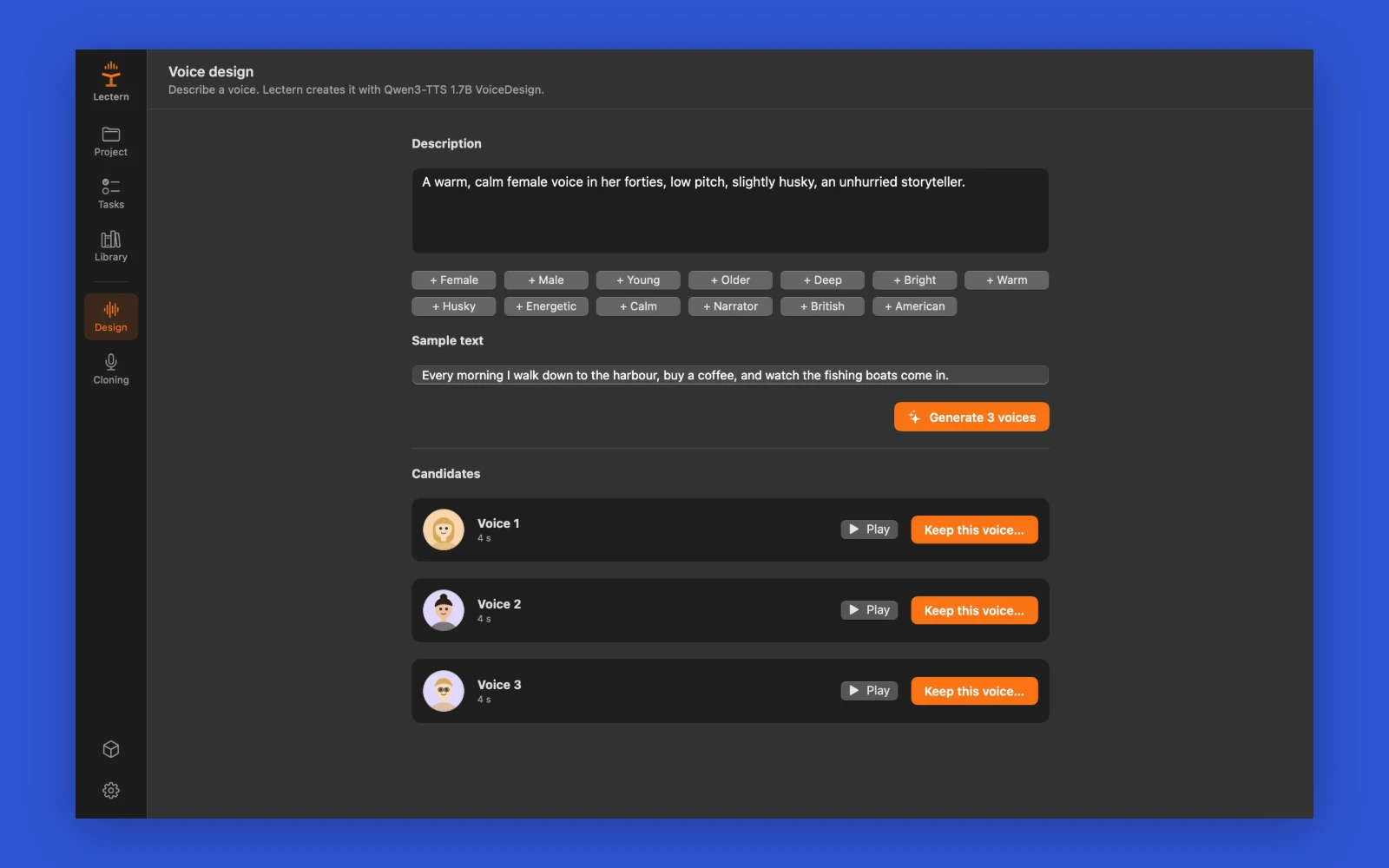
Designing a voice from words: describe age, tone and style, listen to three candidates and keep one. A kept voice sounds the same in every paragraph.
System requirements
- macOS 15 or later
- Mac with Apple silicon
- 3 to 9 GB of disk space for the speech models, downloaded in the app
- 16 GB of memory recommended for the 1.7B models
Network access
Apart from the licence check, it connects only to these, and only for the feature named:
- Hugging Face, to download the speech models when you ask for them
More from the same line
Passwords and API keys
Hidewell
Passwords and API keys in one encrypted file on your Mac.
macOS 13+€19
Folder compare and sync
Mirrorline
Compare two folders side by side and sync them on your terms.
macOS 14+€19
Disk space analyzer
Spacewalk
See what fills your Mac's disk, then clear out large files one card at a time
macOS 14+Free