Prompt Audio · Audio editor
Cutwater
Record, cut, clean up and export audio files on your Mac, with every edit undoable
Cutwater is a wave editor for voice, music and sound effects. Open a file in one of 13 formats it reads and writes by itself, cut it by the sample, apply any of 56 effects with a live preview, remove hum and hiss, and save it back with its coding and tags intact. Edits don't touch the original until you save. If the app crashes, it offers your unsaved files back at the next launch.
- Built-in effects
- 56, plus your Audio Units
- Reads and writes
- WAV, AIFF, AU, CAF, FLAC, MP3, AAC/M4A, Apple Lossless, Ogg Vorbis, Opus, GSM, VOX, raw
- Sound library
- 1,305 clips
- Sample rates
- 6 to 192 kHz

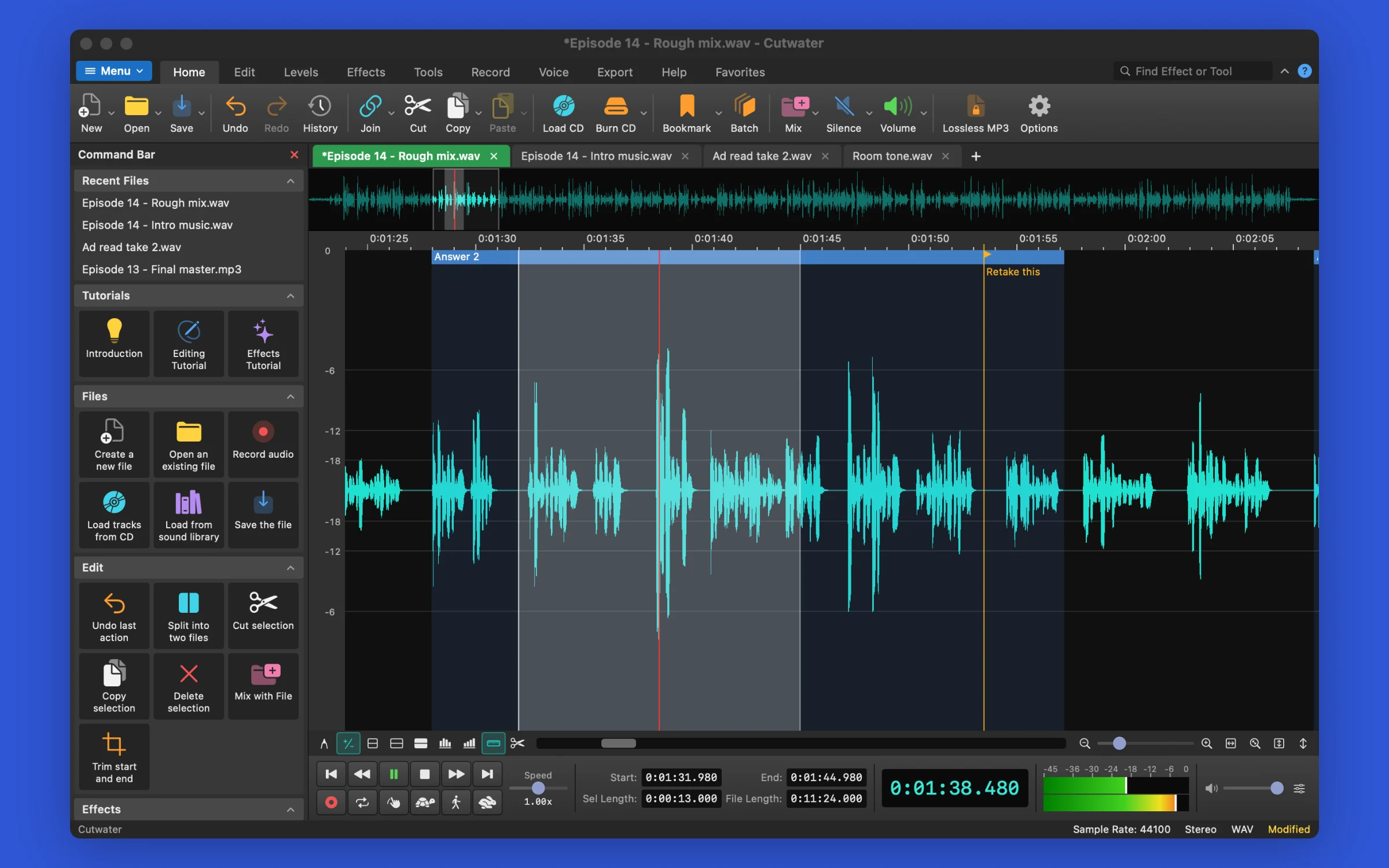
What it does
Cut, copy and paste without waiting
Cutwater keeps a list of your edits instead of rewriting the audio, so undo is instant, also on a two-hour file. The History window goes back to any step. Work on several files in tabs, and edit one channel of a stereo file on its own.
Effects you hear before you apply them
Equalizers, compressor, reverb, echo, pitch and speed change, vocal reduction and more each open with presets and a preview of the selection. Chain them in Effect Chain, save the chain, and run it on other files. Audio Unit effects on your Mac work the same way.
Clean up a recording
The Noise Removal Wizard samples the noise and takes it out in a few steps. Separate tools remove clicks and pops, DC offset and clipping. In the spectrogram you can select a frequency range, such as a phone chime at 2 to 6 kHz, and delete only that.
Hit a level
Normalize reaches a target in LUFS, RMS or peak and limits the peaks to get there, so -14 LUFS measures -14. Match Loudness brings several files to the same level by the same measures.
Convert a whole folder
The Batch Converter runs effects and format changes over any number of files, and says what it will do first. It never replaces a file silently: it asks, keeps both, and stores a backup when a file replaces its own source.
Sounds and recording
The Sound Library holds 1,305 effects and music clips made for Cutwater. You can insert them at the cursor or save them to a folder. Record from any input, with voice-activated start, punch-in and overdub. If the disk fills up, Cutwater keeps what it has.
Screenshots
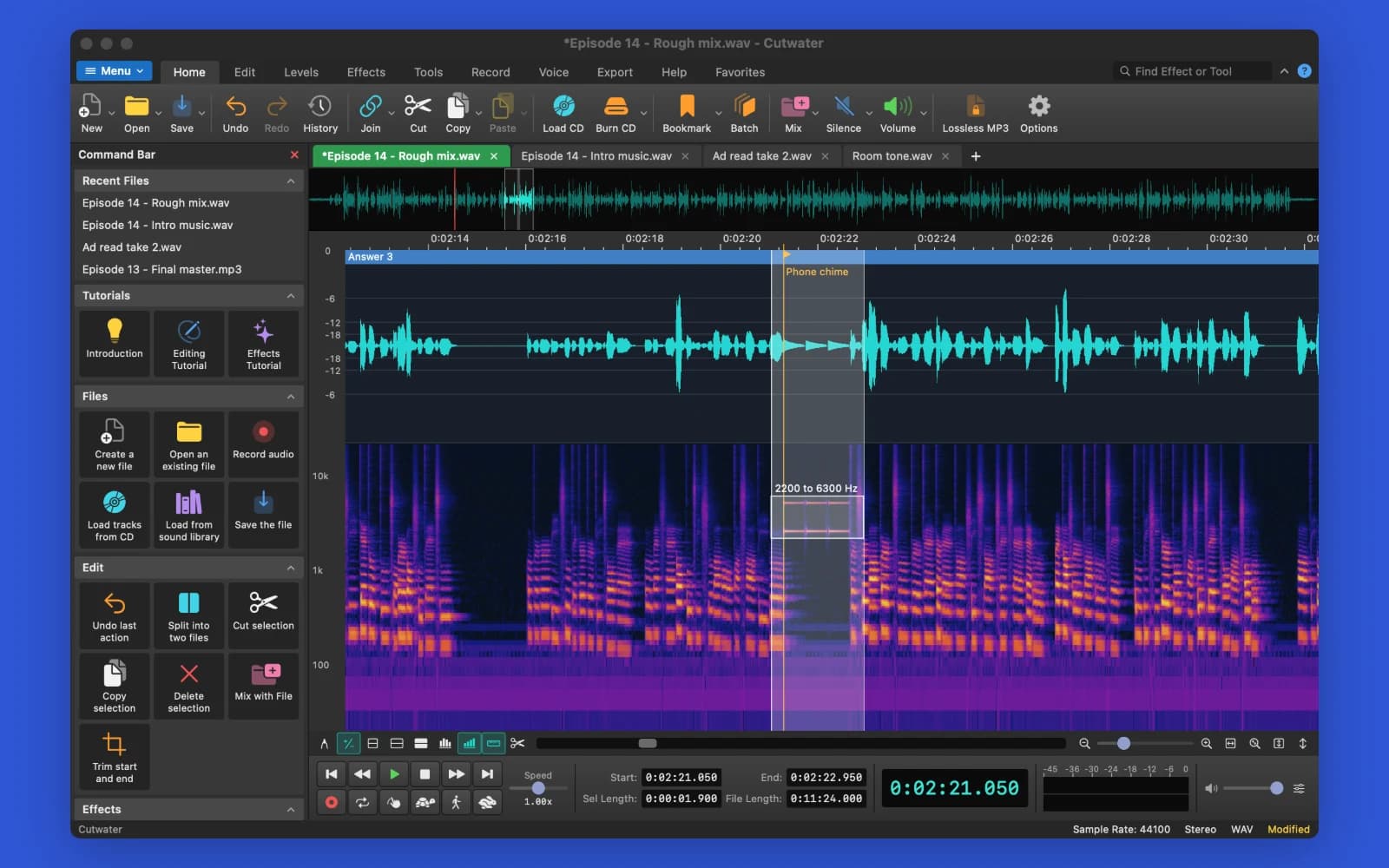
Taking a phone chime out of an interview: drag a rectangle around it in the spectrogram, and Cut, Delete, Silence, Paste and effects change only 2200 to 6300 Hz for those 1.9 s. In this file Delete lowers the chime by 47 dB and leaves 400 Hz and 1200 Hz where they were. 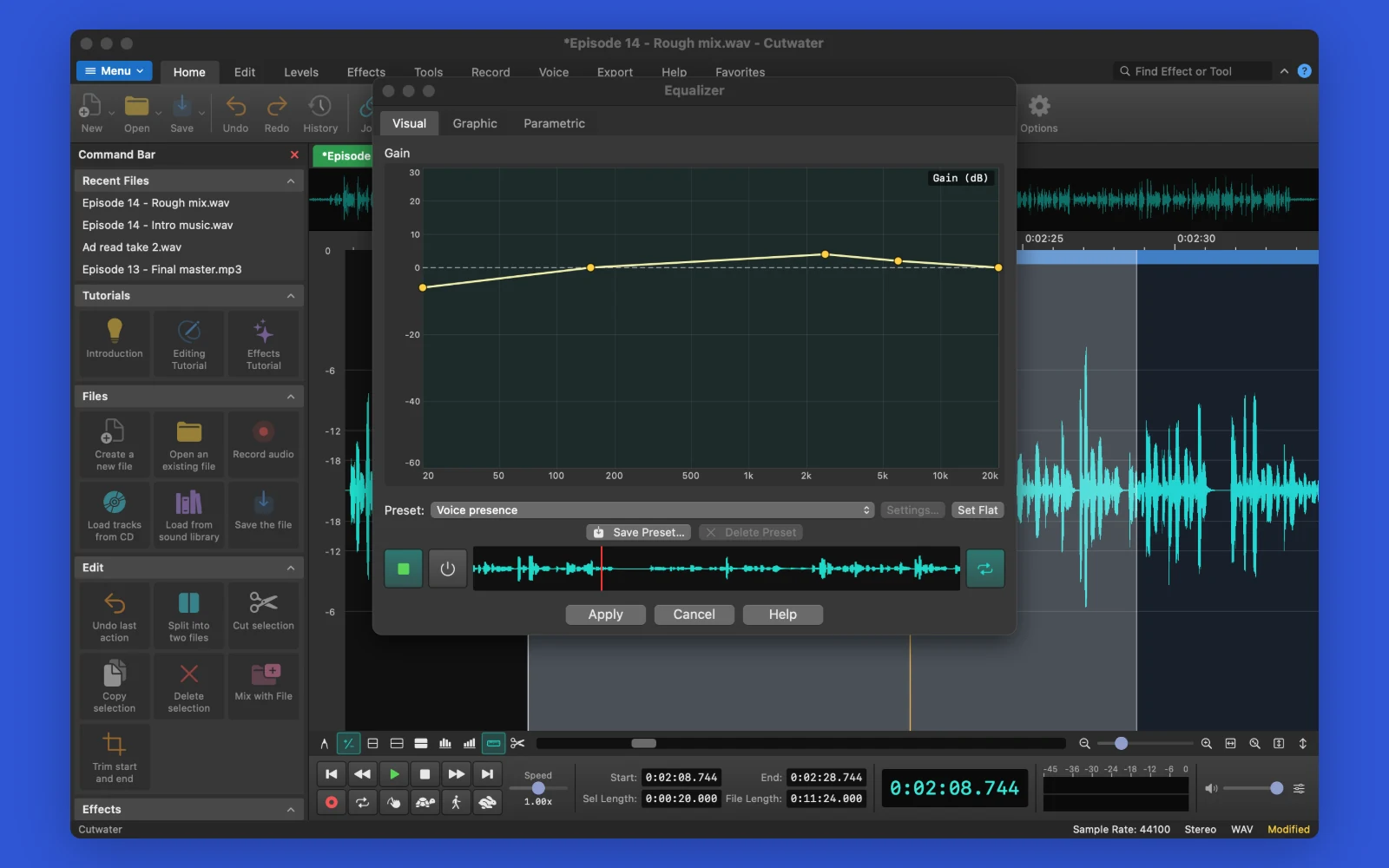
Shaping a voice with a drawn curve: the Voice presence preset adds 4 dB at 2500 Hz and takes 6 dB off at 20 Hz. Add or drag points while the preview loops and you hear the change. The file stays as it is until you press Apply. 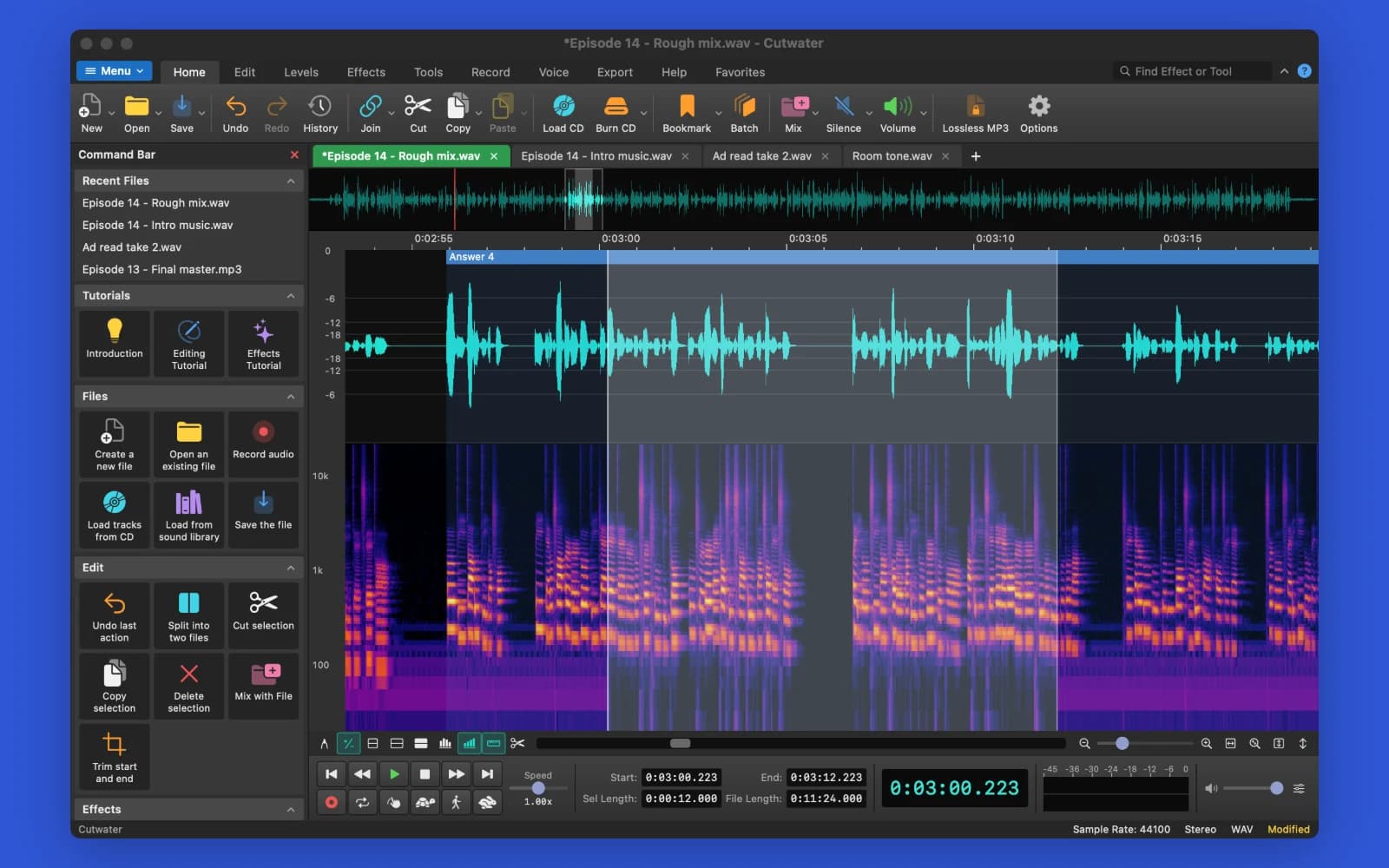
Removing hum and hiss with the Noise Removal Wizard: tick what you hear and grab a pause as the noise sample, then Remove Hum and Noise Reduction (From Sample) run on the selected 12 s as one undo step. In this file the 50 Hz hum falls by at least 67 dB and the pause by at least 14 dB. 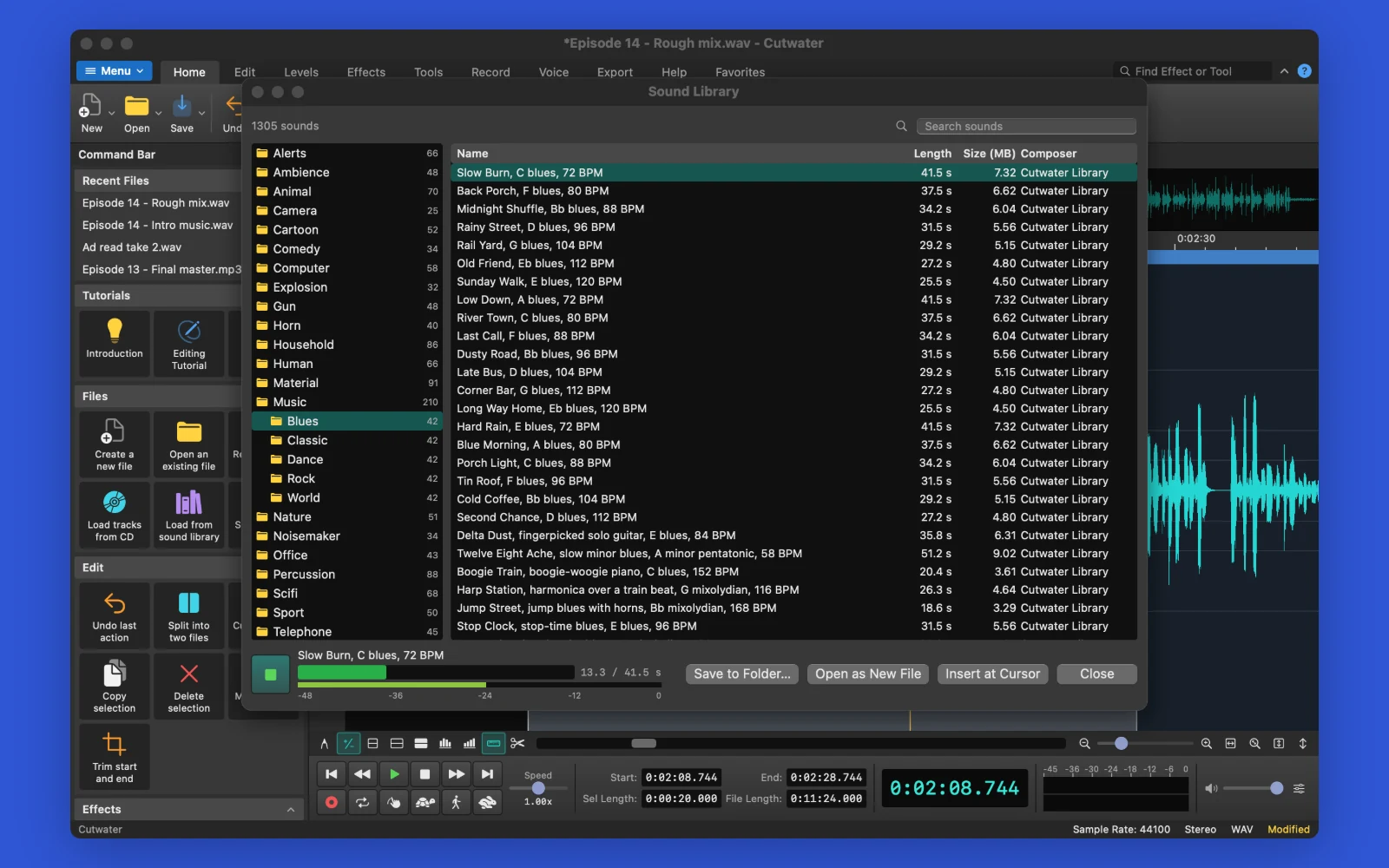
Trying a music bed from the Sound Library: 1,305 sounds in 21 folders, 210 of them music, each synthesised on your Mac when you press play. Insert one at the cursor, open it as a new file or save it to a folder.
System requirements
- macOS 15 or later
- Mac with Apple silicon
More from the same line

Guitar practice
Strumwell
Slow a tab down, loop the hard bar and learn the theory behind it.
macOS 15+€39
MIDI chord tool
Chordwright
Store a chord on every key, turn it into step patterns and see what to play next.
AU · Standalone€35
Semi-modular synth
Etherion
Semi-modular synth with granular, FM and sample sources and 68-point envelopes
AU · Standalone€59